

Website Cloning & Brand Impersonation: How Scammers Copy Trust to Steal From Users

In today’s digital world, most users are trained to avoid typos, sketchy logos, or broken designs. But what happens when a scam looks exactly like the real thing?
Website cloning and brand impersonation have become the go-to methods for modern scammers. These aren’t crude copycats—they’re sophisticated replicas, often promoted through paid ads and indistinguishable from the real thing at first glance.
In this article, we’ll break down how these scams work, show you real-world examples from Elementor and DeepSeek, and share how both users and brands can protect themselves.
Website cloning is when attackers create a near-perfect copy of a legitimate website—layout, design, branding, and all. These replicas are then used to deceive users into thinking they’re interacting with the real company.
But this deception doesn’t stop at looks.
Scammers promote these cloned sites using Google Ads, ride on the brand’s name recognition, and trick users into:
- Entering personal or financial data
- Scanning malicious QR codes
- Calling fake customer support lines
- Downloading dangerous files
This is more than visual deception—it’s the foundation for ad hijacking prevention, credential theft, and large-scale fraud.
Let’s dive into the first example, where DeepSeek was targeted. At first glance, cloned sites like download-deepseek.com seem harmless. They replicate DeepSeek’s branding, layout, and overall design with precision. But they’re built to deceive—misleading users into downloading malicious files or engaging with fake services that have no real product behind them.

A more aggressive variant, deepseek-go.cyou, hides its intent behind a clean interface. When a user clicks anywhere on the page—regardless of what—it immediately triggers a QR code pop-up with a prompt that reads “Continue with WhatsApp.” Scanning this QR code gives attackers a direct path to hijack your device, compromise your WhatsApp account, or access other linked personal data.

These tactics are subtle but dangerous, using brand impersonation and visual trust to deceive users—while being sophisticated enough to bypass many phishing protection tools.
Scammers also targeted Elementor, a well-known website builder, by cloning its official homepage.


The legitimate site, elementor.com, features a clean layout, minimal calls to action, and a clear brand presence. In contrast, the cloned version — hosted at epicexcursion.site/home-page/src/elementor/ — is a near pixel-perfect replica of Elementor’s homepage but hosted on a suspicious, unrelated domain.
While it appears convincing, this cloned page is built to deceive—redirecting users to malicious downloads, phishing flows, or unauthorized data collection. The use of Elementor’s real design, colors, and copy makes it difficult for users to detect the fraud at first glance — a common hallmark of brand impersonation and ad impersonation tactics.


This scam doesn’t rely on poor design or bad spelling — it leverages visual trust and domain manipulation, which is why Impersonation Detection has become a necessary layer in modern Online Fraud Prevention strategies.
Website cloning isn’t just a visual trick. It’s an evolution of online deception—powered by paid ads, real domains, and user habits.
Here’s what makes it so dangerous:
- Users trust what they see
- It’s hard to detect at scale
- It bypasses traditional phishing filters
- It undermines your marketing efforts and damages your brand’s reputation
And worse, these attacks are growing. Every month, nearly 1 million new phishing sites are launched—many built on cloned designs.
This makes online fraud prevention and impersonation detection critical tools for any brand operating online.
You don’t need to be a cybersecurity expert to protect yourself. Here’s what users and teams should look for:
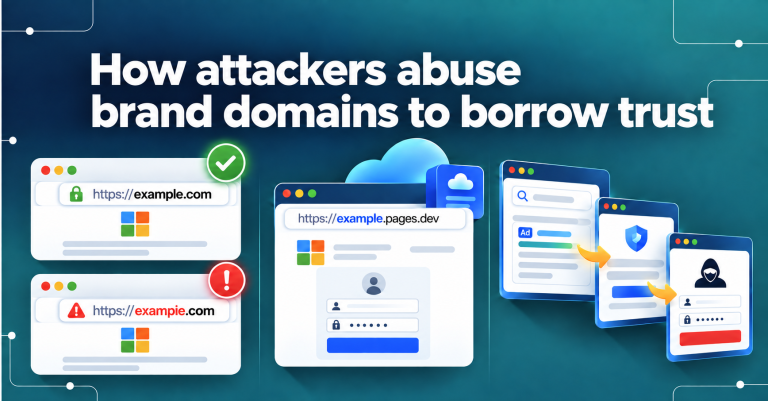
- Examine the URL: Does it look like the real domain? Are there extra words or unusual extensions?
- Never scan QR codes unless they come from a trusted source.
- Be cautious with Google Ads. Just because it’s sponsored doesn’t mean it’s safe.
- Bookmark the official websites you use frequently.
- Use 2FA (two-factor authentication) whenever possible.
💡 Pro tip: Tools like ImpersonAlly can help you see Google Ads in other locations, making it easier to spot impersonation attempts running outside your geographic region.
If you’re a brand, waiting for a user to flag a fake site is too late. These attacks hurt your conversions, support channels, and long-term trust.
Instead:
- Monitor search ads for cloned versions of your brand
- Use Ad Fraud Prevention tools to detect suspicious campaigns
- Deploy Impersonation Detection to track and take down fakes in real-time
- Educate your users about what to expect from official communications
This isn’t just security—it’s smart marketing. Protecting your brand’s identity is now part of protecting your performance.
Every brand works hard to build credibility, recognition, and conversion funnels. But when that visual trust is cloned, it can all be undermined in seconds.
Website cloning and brand impersonation aren’t fringe threats—they’re increasingly common tactics in a scammer’s toolbox. And they deserve a place in your marketing conversations just as much as bounce rate or CAC.
Website cloning and brand impersonation will only continue to evolve—making proactive monitoring, early detection, and user education essential pillars of brand protection.
So, ask yourself:
If someone Googled your brand today… would they land on the real you?

Subscribe to the newsletter
Your Brand Protection Ally
Are your Ads being Impersonated by others?
Author
